Category: Uncategorized

  • Judges Are Using AI — But Not the Way You Think

    A recent Wall Street Journal article highlights a quiet but significant shift happening inside American courtrooms: judges are increasingly using artificial intelligence—not to replace human judgment, but to manage overwhelming workloads and improve efficiency.
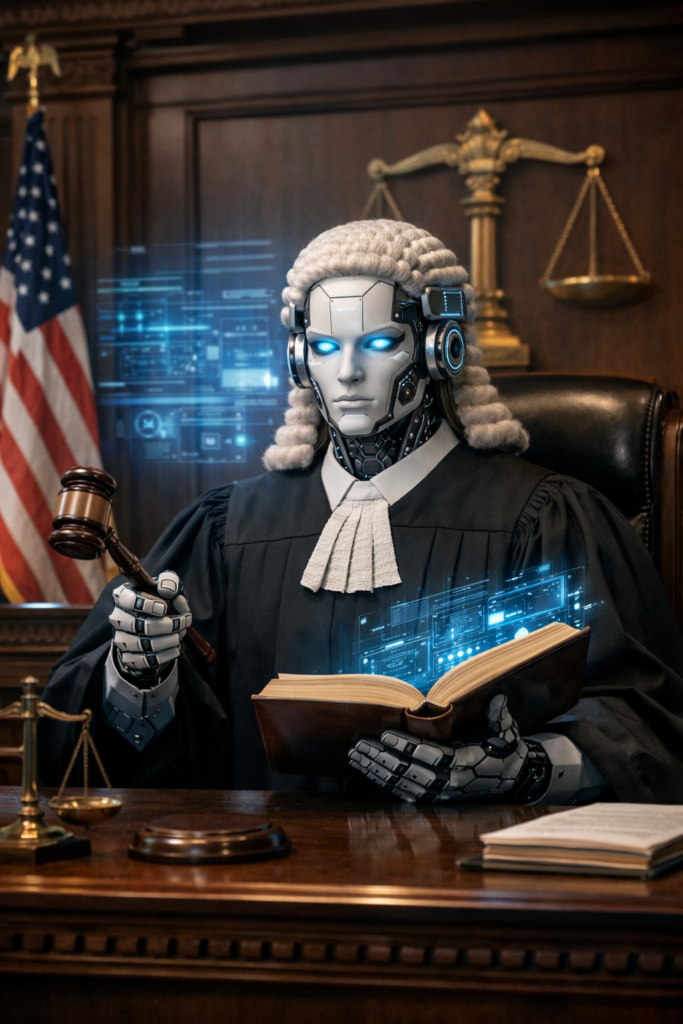
    AI Law Judge

    If you’ve heard horror stories about lawyers submitting AI-generated briefs filled with fake cases, you’re not wrong. But judges are approaching AI very differently—and far more cautiously.

    Here’s what’s actually happening.


    How Judges Are Using AI Today

    According to the Journal, some judges are using AI tools to:

    • Summarize massive legal filings
    • Organize evidence and timelines
    • Draft questions for hearings
    • Speed up legal research
    • Create structured decision frameworks

    One federal judge described running hundreds of thousands of pages of trial evidence through an AI system—something that normally takes law clerks months—and receiving a usable first draft in minutes. It still required human review, corrections, and judgment, but it dramatically reduced the workload.

    The key point: AI assists the process, but judges still decide the case.


    Why Courts Are Under Pressure

    State courts handle roughly 97% of all cases in the U.S.—from evictions and divorces to criminal matters—and they’re severely overburdened.

    Delays don’t just frustrate lawyers. They affect real people:

    • Families waiting for custody decisions
    • Businesses stuck in unresolved disputes
    • Defendants waiting months—or years—for resolution

    Some judges argue that not using modern tools may actually harm access to justice.


    The Guardrails (and the Warnings)

    Judges are well aware of AI’s risks.

    There have already been:

    • Lawyers sanctioned for submitting AI-generated false citations
    • Judges criticized for factual errors in AI-assisted opinions
    • Courts banning or limiting AI use by attorneys

    As a result:

    • Many judges personally verify all AI-assisted work
    • Some ban clerks from drafting decisions with AI
    • Courts are actively developing new rules around AI usage

    The message is clear: AI can assist, but it cannot be trusted blindly.


    What This Means for the Public

    For everyday people navigating the legal system, this trend could eventually mean:

    • Faster rulings
    • Clearer opinions
    • More consistent decision-making
    • Reduced court backlogs

    But it also raises important questions about transparency, oversight, and accountability—questions courts are still working through.


    The Bottom Line

    AI is already inside the justice system—but quietly, cautiously, and under human control.

    Judges are not outsourcing justice to machines. They’re using AI the way a pilot uses instruments: to see more clearly, work faster, and avoid mistakes—while keeping their hands on the controls.

    As one judge put it: “The cat is out of the bag. We need to be heading into the future.”


    Source: The Wall Street Journal, January 2026
    This post is informational only and not legal advice.

  • The Only 5 Pages a Solo Practitioner Website Needs

    If you’re a solo practitioner in West Virginia, your website does not need to be fancy.

    It needs to be clear, trustworthy, and functional.

    Most solo lawyers overthink websites because they assume:

    • More pages = more credibility
    • More content = better marketing

    In reality, five well-done pages do more for client trust than a bloated site no one reads.


    The 5 Pages Every Solo Law Firm Website Needs

    1. Home Page — What You Do, Who You Help, Where You Practice

    Your homepage answers one question immediately:

    “Am I in the right place?”

    Must-have elements

    • Practice area(s) in plain English
    • Geographic focus (WV, counties, cities)
    • A clear phone number
    • A simple call to action (“Call for a consultation”)

    What to avoid

    • Long philosophical introductions
    • Law school credentials up top
    • Legal jargon

    Think clarity, not cleverness.


    2. About Page — Credibility Without the Autobiography

    Clients want reassurance, not your life story.

    Include

    • Your name and role
    • WV bar admission
    • Years in practice (if applicable)
    • A short, human explanation of how you approach cases

    Keep it grounded

    • One professional photo (not a stock image)
    • Straightforward tone
    • No exaggeration

    Trust comes from plain confidence, not hype.


    3. Practice Areas Page — Problems, Not Statutes

    This page should sound like how clients describe their issues, not how lawyers classify them.

    Good structure

    • One short section per practice area
    • Who you help
    • What problems you handle
    • What clients can expect

    Example:

    “I help individuals in West Virginia with uncontested divorces, custody agreements, and family-law matters that don’t require prolonged litigation.”


    4. Contact Page — Make It Easy to Call You

    This page should reduce friction, not add it.

    Must-have

    • Phone number (clickable on mobile)
    • Contact form (simple)
    • Counties or regions served
    • Office location or service area

    Optional

    • Office hours
    • “What to expect when you call”

    If a potential client can’t figure out how to contact you in 10 seconds, they move on.


    5. Disclaimer / Privacy Page — Quiet Professionalism

    This page doesn’t sell—but it signals competence.

    Include

    • Attorney advertising disclaimer (if applicable)
    • No attorney-client relationship disclaimer
    • Privacy policy for contact forms

    Clients may never read it, but its presence matters.